Inside the Shein Free Trial Center: A Tester's Guide
A tester's guide to the Shein Free Trial Center: categories, applying for pieces, tracking requests, writing trial reports and fixing declined reviews.
Advertisement
Through the Free Trial Center, shoppers can put their names down for pieces featured in selected campaigns. Still, picking a favorite and sending in your request is really just the opening chapter.
How would you like to receive it?
Select the option that suits you best.
Each tester's journey happens inside the Shein app, where Shein reviews requests and chooses participants. Once chosen, you'll still need to use the piece and post your impressions within the given window.
Camellora is only here to explain the steps and is not affiliated with Shein — we never ask for your information, take applications or choose testers. Getting to know each stage ahead of time keeps you clear of forgotten deadlines and other little hiccups.
Head over to the corner devoted to trials
Begin by signing in and locating the Free Trial Center. Inside the app, the route is Profile → More Services → Other Services → Free Trial Center. Once there, you'll find every piece with a campaign running right now.
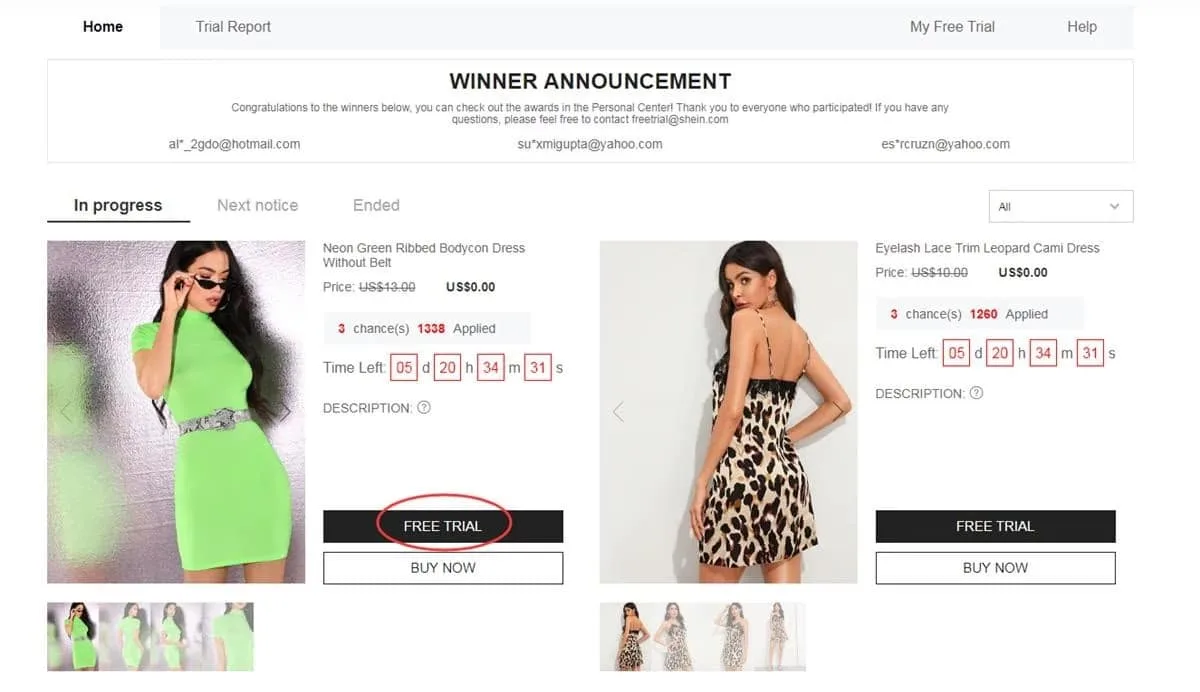
Visit this dedicated space to browse the campaigns currently accepting testers
Pick the pieces you'd like to try
You can send up to 3 applications per week, and any you leave unused simply vanish rather than rolling over. As you choose, look closely at sizing and confirm your saved address sits within the region covered by the store you shop from.
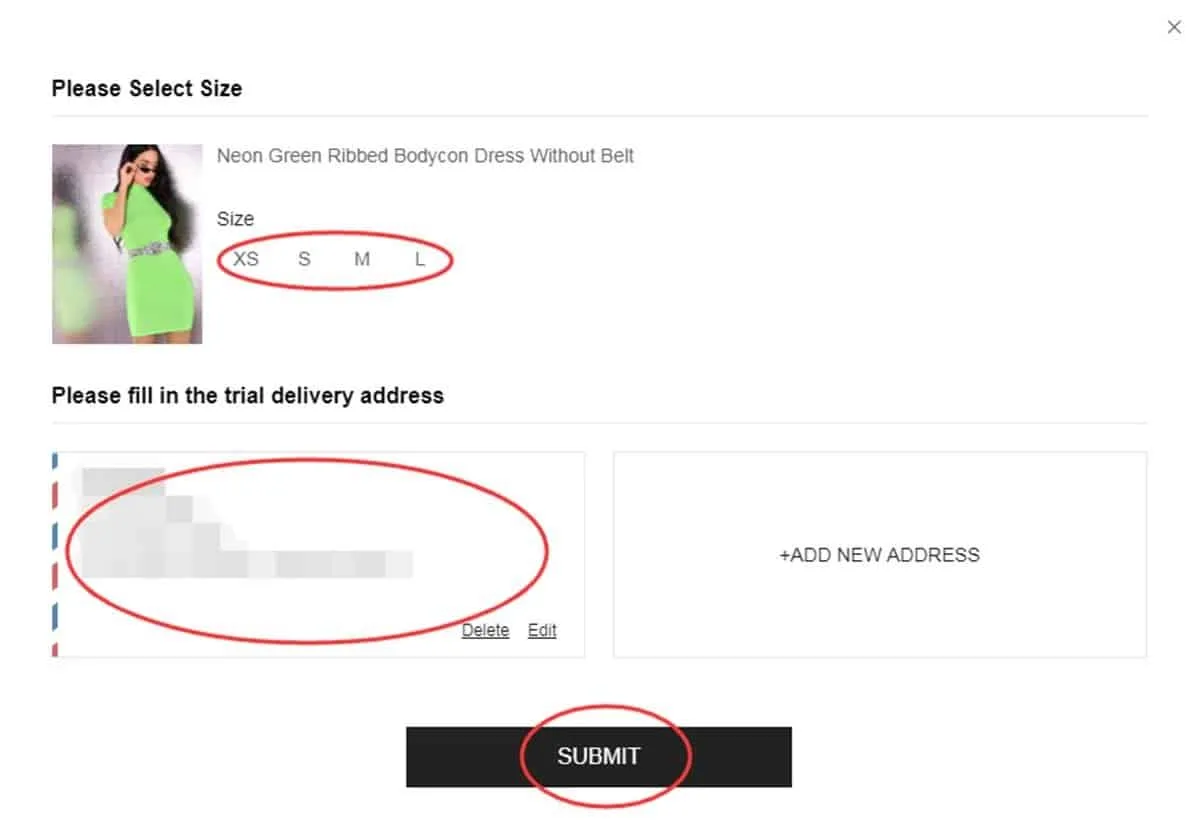
Review your selection and shipping details before you send the request
Keep a close eye on your request
Once it's sent, follow along in the “My Free Trial” or “My Applications” section. Expect roughly a week before an answer shows up. An “Approved” status means the piece is coming your way; “Failed” tells you the request wasn't picked this time around.
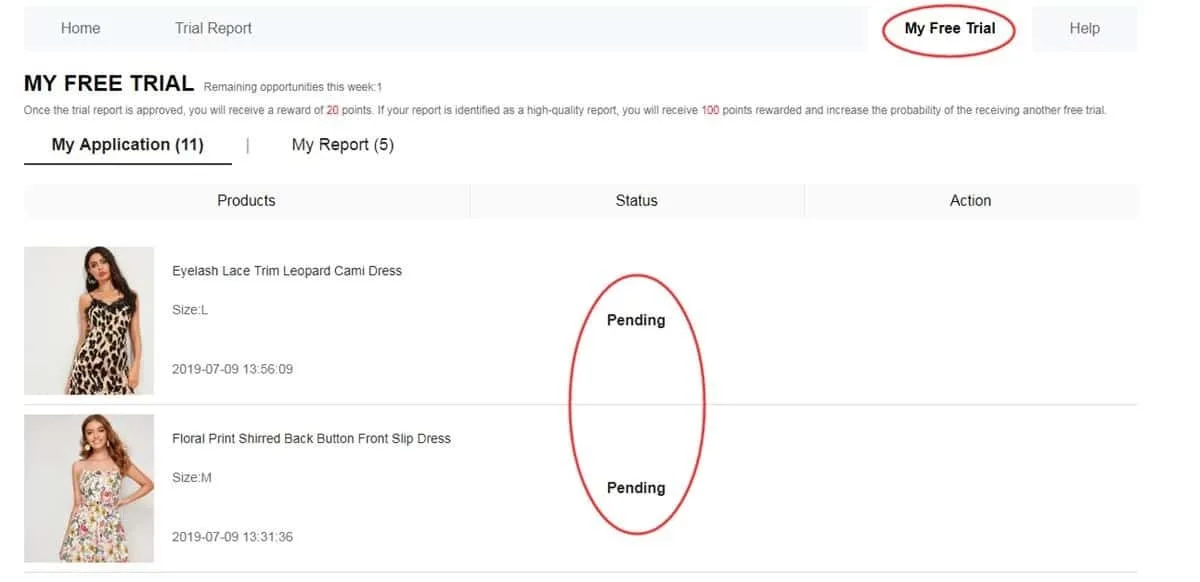
Browse your history to spot which requests made it further along
Try the piece once it arrives
When your approved piece lands at your door, live with it a little before writing. Notice the fabric, the finish, how comfortable it feels, the fit, the look and its overall quality. Your review must reflect genuine use, feature photos you took yourself and arrive within the window of up to 10 days.
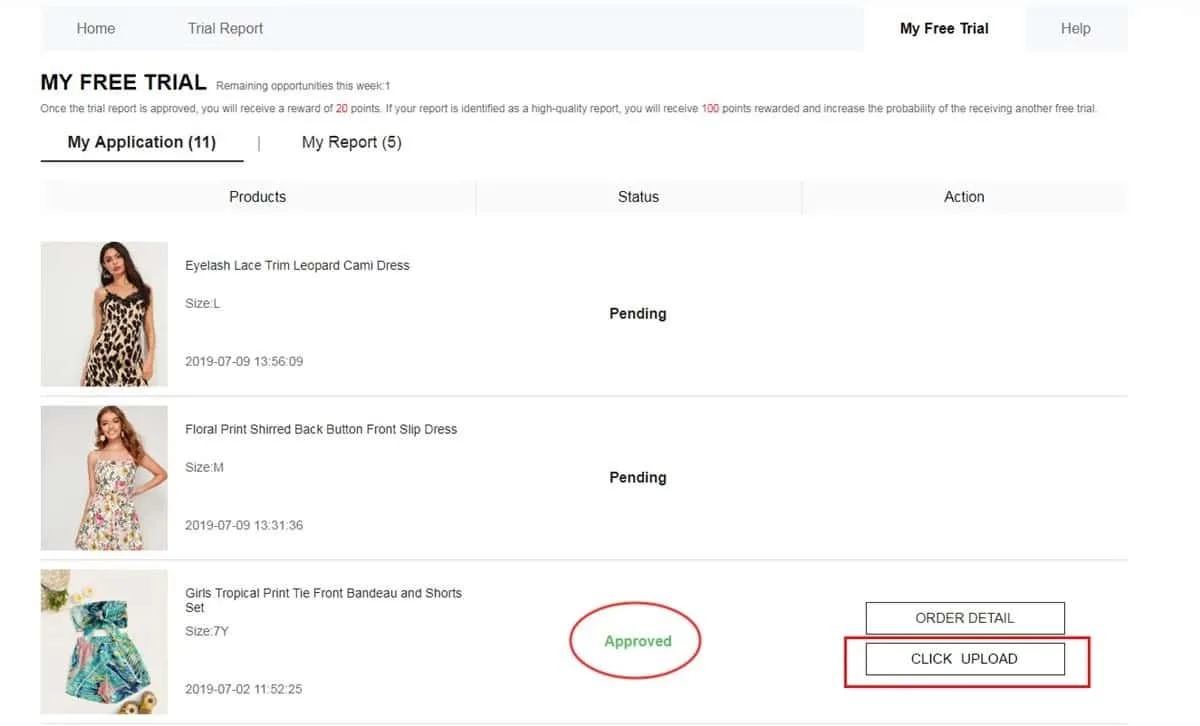
Post a thoughtful review with your own original photos of the piece
See whether your report went through
Once your review is done, open My Report to find out how it went. An approved report typically brings 20 points to your account, and if it also earns the “High-Quality Report” label, a further 100 points may follow. That bonus doesn't mean future campaigns approve you automatically.
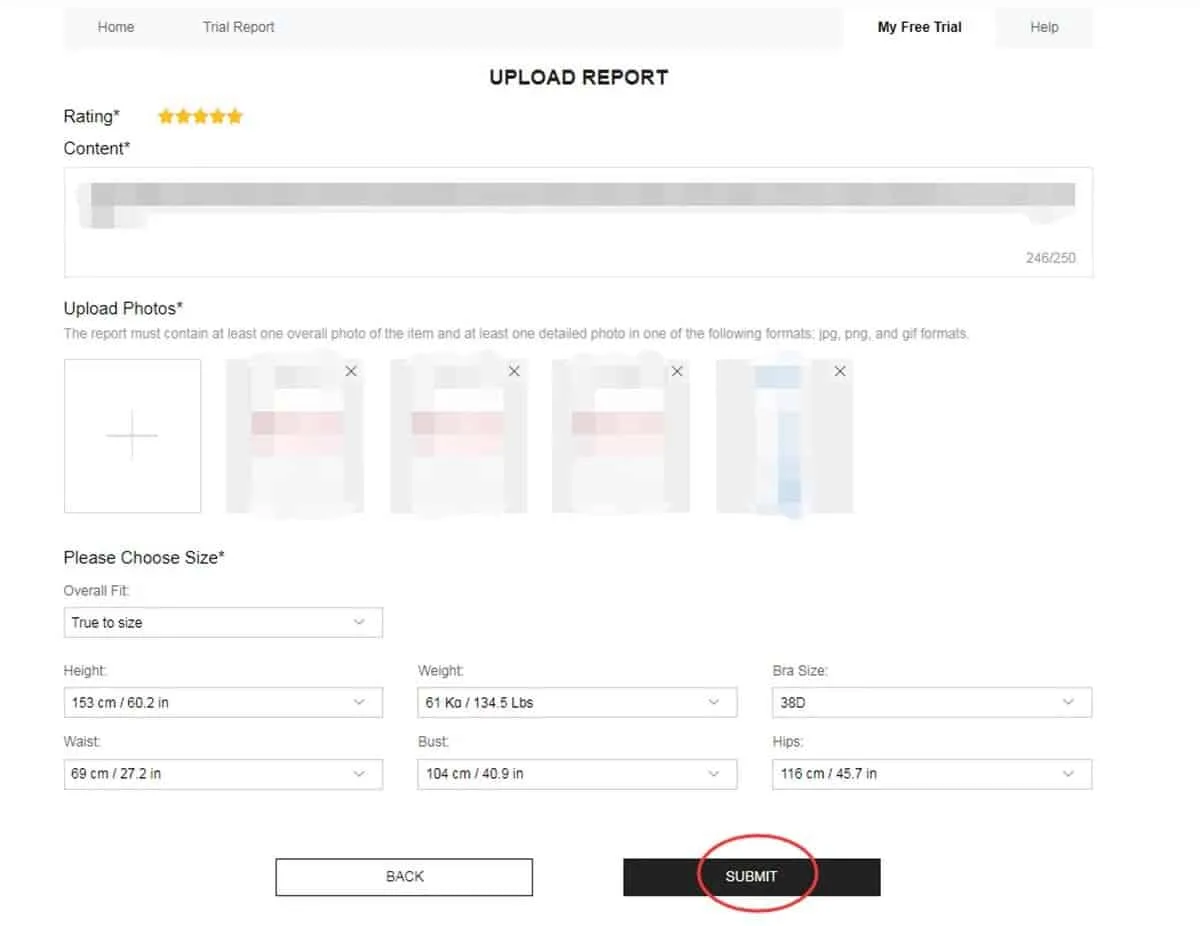
This is where you'll find the review verdict and the points tied to it
Polish your review when a second chance appears
Some reviews don't pass on the first look. Should your report read Failed, see if the Rewrite option is offered. If it is, refine your wording, add meaningful details and swap out any photos that are dim, blurry or fail to show the piece clearly.
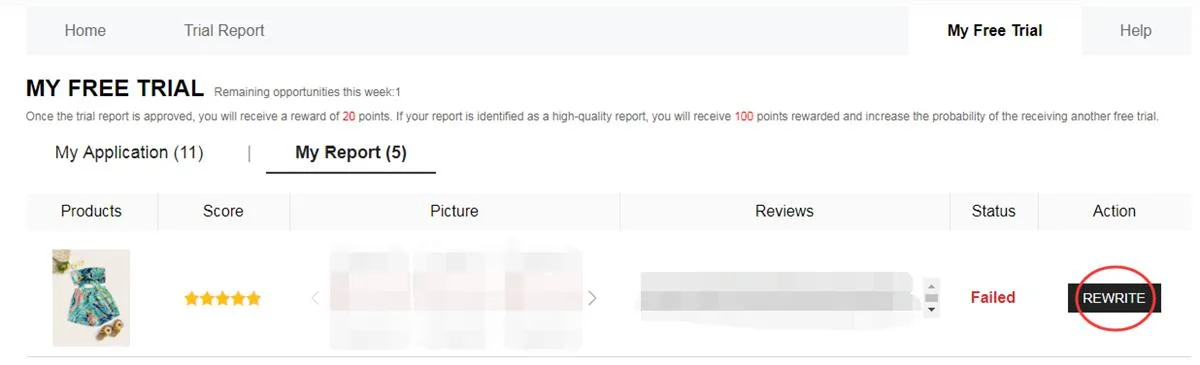
Once switched on, Rewrite allows you to fix your content and send it back
What unfolds between applying and reviewing?
It starts with browsing the open campaigns and picking the pieces that catch your eye. The catalog shifts over time, so what you spot this week might be replaced by something else in the next round.
From there, your request enters review. Nothing is confirmed yet at this stage, since every application hinges on the outcome later displayed in your dashboard.
Once approved, the piece ships to the address saved on your account. After it arrives, the trying-on and evaluating stage begins, when testers should pay attention to the many qualities of the product.
The final step is sending in your report. Meeting the deadline matters, but so does writing helpful words of your own, paired with pictures that honestly show the piece you received.
Which categories might show up in campaigns?
The selection shifts with each period's availability, yet a variety of segments may grace the catalog:
- Clothing: dresses, tees, blouses, denim, activewear, coats and other wardrobe staples.
- Beauty and care: makeup, skincare and little treats for your self-care ritual.
- Accessories: handbags, footwear, fashion accessories, jewelry and other style essentials.
- Home and organization: kitchenware, decor pieces, organizers and finds for every room.
Missing out in the past doesn't mean upcoming requests will end the same way.
Every fresh round is also a chance to tidy up your details and apply with everything correct.
What gives a review real substance?
A great report does more than say whether the piece won you over. Aim to capture tangible details from your time with it:
• Share what delighted you and also note anything that could be better.
• Talk about the fit, fabric, finish, comfort and how it truly looks.
• Add photos you shot yourself, in good light and from angles that show the piece clearly.
• Include notes that might guide someone weighing up the same item.
Slip-ups that can cost you a spot
A quick look before wrapping up each stage helps you sidestep some common issues:
❌ Leaving key profile details unfinished or out of date.
❌ Saving a shipping address outside the region of the store you picked.
❌ Locking in a piece without properly checking its size and other details shown.
❌ Publishing a shallow report that never describes how the piece worked for you.
❌ Uploading blurry photos or shots where the piece is hard to make out.
❌ Letting the window of up to 10 days for your review slip by.
❌ Passing up the chance to fix your report when Rewrite is available.
❌ Entering details that don't reflect the real information participation calls for.
Program essentials at a glance
• The official cap is up to 3 applications per week, and leftover choices never move into another cycle.
• Your address needs to belong to the country or region tied to the store where you applied.
• The program pays for standard shipping, though customs rules and any related charges can differ by destination.
• Once the piece is delivered, you have a fixed window to finish and send the requested report.
• A declined review might be granted the Rewrite option, letting you make edits before it's assessed again.
• Misleading details or misuse of accounts can lead to limits or a ban from future trials.
• Completing every step properly and finishing your reports is part of what's expected of testers.
Your questions, answered
Is there a fee to send in an application?
You won't pay anything to request a piece through the Free Trial Center. That said, sending an application doesn't mean you'll be picked.
How many requests can I send each week?
The program allows up to 3 pieces per weekly cycle. Any options you don't use won't roll into the next week.
Will a rejection stop me from trying again?
Not at all. A request that wasn't chosen only concerns that particular opportunity. Keep following new campaigns and apply again whenever pieces are on offer.
How can I tell if my review needs fixing?
Look in the My Report section. When the review is marked Failed and Rewrite is offered, you can rework your content and send it once more.
Curious to explore every step more closely?
Learn how to move around the Free Trial Center, follow your applications and craft a proper review should you be chosen.


